
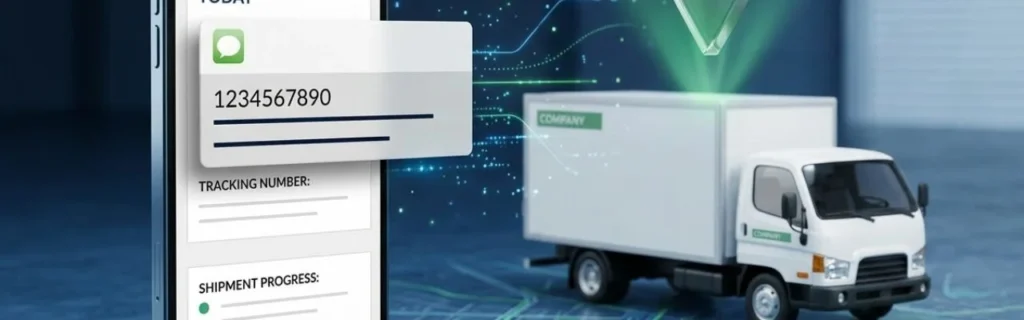
How do I track my shipment while it is crossing the Mexico-US border? Standard home tracking is not at all like tracking a shipment at the Mexico-US border.
Cross-border goods often enter what logistics experts refer to as “the black hole”, a frustrating period where visibility disappears during customs clearance, tractor changes, and transloading operations. At the same time, your carrier’s GPS may show real-time updates inside a single country.
Step 1: Gather Your Essential Tracking Information
You require specific reference numbers and documentation to properly monitor your cross-border delivery. Mexico-US border crossing tracking involves several systems and checkpoints, each with a unique ID, unlike domestic shipments that might only call for one tracking number. Understanding cross-border freight visibility is essential for effective shipment monitoring.
Required Documents and Reference Numbers
Start by collecting these essential tracking identifiers:
- Bill of Lading (BOL) Number. Your main shipping document with all the shipment information is this one. Both carriers and customs officials need the BOL number, which is the master reference for your goods.
- PRO Number. Your freight forwarder or trucking company assigns this carrier-specific tracking number, also known as the Progressive Rotating Order number. You will most often use this number on carrier tracking systems.
- Customs Entry Number. Once your shipment reaches the border, U.S. Customs and Border Protection (CBP) assigns an entry number. This 11-digit identifier is critical for tracking customs clearance status through official government systems.
- Carrier Tracking Number. Common in cross-border goods, your shipment may include several carriers; after transloading, you could have separate international shipment tracking number references for the Mexican and American carriers.

Information Your Freight Forwarder or Customs Broker Should Provide
Your customs brokerage service provider is responsible for sharing several key pieces of tracking information:
- Entry Filing Confirmation. Within 24 hours of your shipment’s arrival at the border, your customs broker should confirm that your entry has been filed with CBP, along with the entry number.
- Estimated Clearance Timeline. Your broker should provide you a reasonable estimate for customs release depending on the type of commodity and present border restrictions.
- Documentation Status Updates. Should CBP ask for more records or find disparities in your documentation, your broker must notify you right away with particular information regarding what is required to fix the problem, including border delay notifications when issues arise.
Step 2: Use Your Carrier’s Online Tracking System
Most cross-border carriers offer online tracking systems whereby your PRO number or BOL number lets you track the state of your shipment. These supply chain visibility solutions vary greatly in the degree of update frequency and detail.
Major Cross-Border Carrier Tracking Portals
- FedEx Cross Border. Provides comprehensive customs status updates and real-time shipment tracking Mexico to US. Input your tracking number at fedex.com and search the shipment history for customs clearance marks.
- UPS Freight. Offers border crossing visibility via UPS.com/freight. Usually displaying “In Customs” status and projected clearance dates, their system shows freight tracking at border checkpoints.
- DHL Express. Renowned for thorough worldwide tracking, DHL’s portal dhl.com displays stages of customs processing and offers proactive delay notifications.
- XPO Logistics. Focuses on Mexico-US imports using xpo.com’s tracking system, including transloading status and border crossing checkpoints for freight tracking during border crossing.
- Schneider National. Offers dedicated cross-border tracking with visibility into both Mexican and U.S. portions of the journey through their customer portal.
Understanding Tracking Status Updates at the Border
You will see particular status messages indicating various phases of the crossing process when your shipment gets to the Mexico-US border:
- “Arrived at Border”. Though it hasn’t yet been shown to customs, your shipment has arrived at the port of entry. This typically occurs when the truck is waiting in line at the commercial crossing queue.
- “In Customs” or “Customs Processing”. CBP is looking over the documentation after receiving your entry filing. Depending on inspection criteria, this is the most often occurring status and can last several days or just a few hours.
- “Customs Examination”. Your shipment has been selected for physical inspection. This extends clearance time by 1-3 days on average.
- “Released by Customs”. CBP has cleared your shipment for entry into the United States. The freight can now proceed to its final destination.
- “Clearance Delay”. Among the problems stopping release are missing documentation, duty payment issues, or compliance holds. Contact your customs broker immediately when you see this status.
Step 3: Track Customs Clearance Status Through ACE or PITA
You must access U.S. Customs and Border Protection’s official systems for the most authoritative customs status information. Real-time clearance data available on these government sites may not be shown on carrier tracking systems.
Accessing CBP’s ACE Portal for Importers
The Automated Commercial Environment (ACE) is CBP’s primary electronic system for tracking and managing imports. To access shipment status through ACE:
- Prerequisites. Either you have authorized access via a customs broker, or you must be the importer of record. You will need an ACE Secure Data Portal account, which calls for CBP registration and approval (usually five to seven business days for initial setup).
- Login Process. Log in using your credentials after navigating to ace.cbp.dhs.gov. Choose “Reports” from the main menu; depending on your entry type, then select “Entry Summary” or “Cargo Release”.
- Locating Your Shipment. Enter your entry number or BOL number in the search field. The system will display current status, release date (if cleared), and any holds or examinations.
- PITA Alternative. Some brokers and importers use an other portal called Partner in Trade Automation. It provides similar functionality to ACE but with a different interface. Access is possible via active customs brokers.
What Customs Status Codes Mean for Your Shipment
ACE displays specific status codes that indicate where your shipment stands in the clearance process:
- “01 – Entry Filed”. Your customs broker sent CBP the entry paperwork. The review process has begun.
- “1R – Released”. Your cargo is approved to enter U.S. trade after being cleared. This is the status you’re waiting for.
- “6A – Intensive Exam”. Your shipment has been chosen by CBP for thorough physical inspection, possibly including content examination and unpacking.
- “HLD – Hold”. There’s a compliance issue preventing release. Typical causes are missing permits, FDA holds for food products, or USDA holds for agricultural goods.
- “LIQ – Liquidated”. Completed final duty assessment; this happens weeks or months following release and has no bearing on the physical movement of your shipment.
Step 4: Contact Your Customs Broker for Real-Time Updates
Automation provides basic status information, but your customs broker has clearance data and direct CBP communication channels. Knowing when and how to contact your broker is essential for managing custom delays.
- When to Contact Your Broker. If your shipment displays “In Customs” status for more than twenty-four hours without updates, if you see any hold or examination codes, or if your carrier tracking shows no movement for 48+ hours following border arrival, get in touch.
- What to Ask. Ask ACE for the particular entry status code; find out whether CBP has made any documentation requests; investigate expected release timing depending on current port conditions; and verify that all fees and duties have been paid.
- Response Expectations. Professional customs brokers should answer status questions during regular business hours within two to four business hours. Should your shipment be on hold, they should go into great length outlining the problem and particular actions being taken to fix it.
Step 5: Monitor for Delays and Exceptions
Even with proper documentation and tracking in place, cross-border shipments can experience delays. Understanding why these delays happen and what causes the tracking “black hole” helps you set realistic expectations and respond appropriately when issues come up.

The Tracking Black Hole Explained
The tracking black hole occurs when your shipment’s GPS signal disappears during border crossing. This is frustrating but completely normal. Here’s why it happens:
- GPS disconnection at the border: When the Mexican carrier’s truck reaches the border, the tracking device may lose signal or get removed before transloading.
- Lack of signal at customs facilities: Many customs inspection facilities are in areas with poor cellular coverage, or they use metal buildings that block GPS signals entirely.
- Tractor changes during transloading: When freight transfers from a Mexican truck to a U.S. truck, there’s a gap between when one carrier’s tracking ends and the other’s begins.
This visibility gap is frustrating but normal. At the Laredo port, which handled 38.8% of all inbound commercial trucks from Mexico in 2025, according to the Bureau of Transportation Statistics, transloading operations can take 4-8 hours, during which traditional GPS tracking provides no updates.
Common Border Crossing Delay Triggers
- Documentation Discrepancies. Mismatched commercial invoices, incorrect HS codes, or missing certificates of origin can trigger holds that last 1-3 days while corrections are made.
- Random Inspections. To confirm compliance, CBP chooses shipments at random for review. About 3–5% of commercial shipments go through physical inspection, adding 24–72 hours to transit.
- Agricultural or FDA Holds. Food, plant, or animal products shipments call for extra agency clearances that might stretch processing time by two to five days.
- Duty Payment Issues. CBP may hold the cargo until payment is settled if questions regarding valuation or classification influencing duty calculations arise.
- Peak Volume Congestion. Customs processing merely takes more time during high traffic times because of queue backlogs at major ports, including Laredo, Otay Mesa, and El Paso.
How to Respond When Your Shipment Is Held at Customs
If your tracking shows a customs hold or examination, take these immediate steps:
- Contact Your Broker Within 2 Hours. Time is critical. Your broker must find out the precise cause of the hold and what documentation or action CBP needs.
- Gather Requested Documentation Quickly. If CBP needs additional paperwork (certificates, permits, revised invoices), provide it to your broker within the same business day to minimize delay.
- Verify Payment Status. Verify with your broker that all projected expenses have been paid. Though they demand quick attention, payment problems are among the easiest ones to fix.
- Request Escalation if Necessary. Ask your broker to escalate the matter to their CBP port contact or seek a supervisory review if a hold stretches more than three business days without a clear resolution.
What to Expect During the Mexico-US Border Crossing Process
- Stage 1 – Arrival at Port (0-2 hours). The Mexican carrier shows up in the line for commercial crossing. Depending on traffic, wait times range from 30 minutes to 2 hours before reaching the primary inspection booth.
- Stage 2 – Primary Inspection (15-30 minutes). CBP officers conduct an initial review of the driver’s documents and the shipment’s manifest. At this point, most shipments are waved through to transloading sites.
- Stage 3 – Transloading (2-8 hours). At a cross-dock facility, the Mexican truck’s freight is moved to a truck owned by a U.S. carrier. This is when the tracking black hole typically occurs. Your shipment is physically moving between vehicles and warehouses, but neither carrier’s GPS shows active transit.
- Stage 4 – Customs Processing (4-48 hours). CBP checks the electronic entry filing your customs broker has supplied while transloading is underway. Release usually happens 4-12 hours for regular commercial shipments, including appropriate documentation. Selected for inspection shipments might take 24 to 48 hours or more.
- Stage 5 – Departure to Final Destination (immediately after release). The U.S. carrier starts heading to your delivery site once CBP releases the cargo and transloading is finished. Tracking updates resume normally at this point.
From the arrival of the Mexican carrier at the port to the departure with cleared goods, the whole border crossing process usually takes 12 to 36 hours. But depending on port congestion, inspection needs, and transloading facility capacity, this chronology differs greatly.
Alternative Tracking Methods for Cross-Border Shipments
Relying only on carrier GPS tracking creates blind spots during border crossing. Professional shippers use a multi-layered tracking approach that keeps visibility even when traditional methods fail.
Layer 1 – Tractor GPS (Carrier Tracking)
This is your baseline tracking method. The carrier’s truck GPS provides location updates during regular transit, but it usually goes dark during border crossing and transloading. It’s helpful, but not enough on its own.
Layer 2 – Portable Tracking Devices on Cargo
Independent GPS devices like Tive or Roambee attach directly to your cargo or packaging. Unlike truck-based GPS, these devices stay with your goods during transloading—giving you continuous location data throughout the entire journey. They also monitor temperature, light exposure, and shock events, which are critical for sensitive shipments.
Layer 3 – Human and Digital Status Updates at Checkpoints
The most reliable tracking layer combines technology with human verification. This includes:
- Carrier check-calls when goods change hands
- Gate-in/gate-out confirmations at transloading facilities
- Customs broker status updates at key points
The Control Tower Advantage
Managing three tracking layers across multiple carriers and systems is challenging. This is where a logistic service provider with control tower capabilities becomes invaluable.
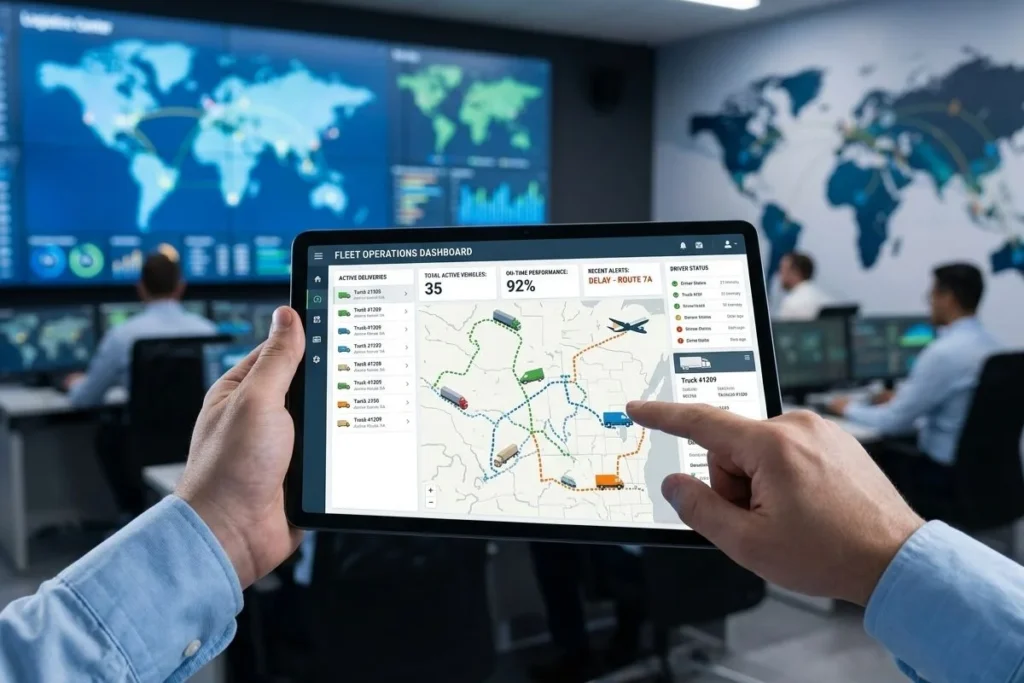
Instead of buying expensive tracking software and juggling multiple carrier portals yourself, a 3PL control tower consolidates data from the Mexican carrier, the transloading operation, and the U.S. carrier into a single dashboard. You get unified tracking updates in real time—no switching between systems or calling multiple parties for status.
API Integration for Real-Time Visibility
Advanced logistics providers connect their warehouse management systems (WMS) and transportation management systems (TMS) directly to your ERP through API integration. This means shipment status, inventory levels, and delivery updates flow automatically into your existing business systems without manual data entry.
For companies managing high volumes of cross-border freight, this digital transformation in logistics eliminates the tracking black hole. You maintain visibility from pickup in Mexico through customs clearance to final delivery in the U.S., with automated alerts for exceptions or delays.
When to Invest in Enhanced Tracking
Consider portable tracking devices and control tower services if you:
- Ship high-value goods where the cost of a lost shipment exceeds $10,000
- Move temperature-sensitive products requiring cold chain monitoring
- Handle time-critical freight with tight delivery windows
- Manage more than 10 cross-border shipments per month
For companies using jit warehousing strategies, border crossing visibility is essential. Just-in-time inventory models can’t tolerate the uncertainty of multi-day tracking blackouts—making enhanced visibility systems an operational necessity, not a luxury.
Stop guessing where your freight is. If you’re tired of losing visibility during border crossings and want a unified tracking solution that covers your entire Mexico-US supply chain, get a demo of our Door-to-Door Visibility Dashboard.
See how EP Logistics eliminates the black hole with real-time tracking, automated customs updates, and seamless integration with your existing systems.
Frequently Asked Questions About Mexico-US Border Shipment Tracking
How long does it take for a shipment to clear the Mexico-US border?
Standard commercial shipments with proper documentation typically clear customs in 12-36 hours from border arrival to release. However, shipments selected for physical inspection may take 24-72 hours, while those with documentation issues or requiring additional agency clearances (FDA, USDA) can be held for 3-7 days.
Why doesn’t my tracking number show border crossing updates?
Tracking gaps occur because GPS devices on Mexican trucks lose signal during transloading, customs facilities often have poor cellular coverage, and there’s a handoff period between when the Mexican carrier’s tracking ends and the U.S. carrier’s tracking begins. This “black hole” typically lasts 4-12 hours during normal processing.
Can I track my shipment if I’m not the importer of record?
Direct access to CBP’s ACE portal requires you to be the importer of record or have authorized representative status. If you’re the consignee but not the importer, you must request tracking updates through your customs broker or the party who arranged the shipment, as privacy regulations restrict access to customs data.
What should I do if my tracking shows no movement for several days?
Contact your customs broker immediately if tracking shows no updates for 48+ hours after border arrival. Request the specific ACE status code and ask if CBP has issued any holds or documentation requests. If your broker cannot provide a clear explanation within 4 hours, escalate to their supervisor or consider engaging backup broker support.
